Traceability exercise: trace a lot both ways from your records
Updated
A traceability exercise is a test of whether your records can follow a product from the raw materials received to the customers it was sent to, and back again. TraceBench does the tracing free in your browser, from one or two CSV exports: it follows only the links your rows state or you confirm, shows the row behind each one, names every gap and shows quantities as written without balancing them.
Free to use. No account, email address or trial. Your files are never uploaded.
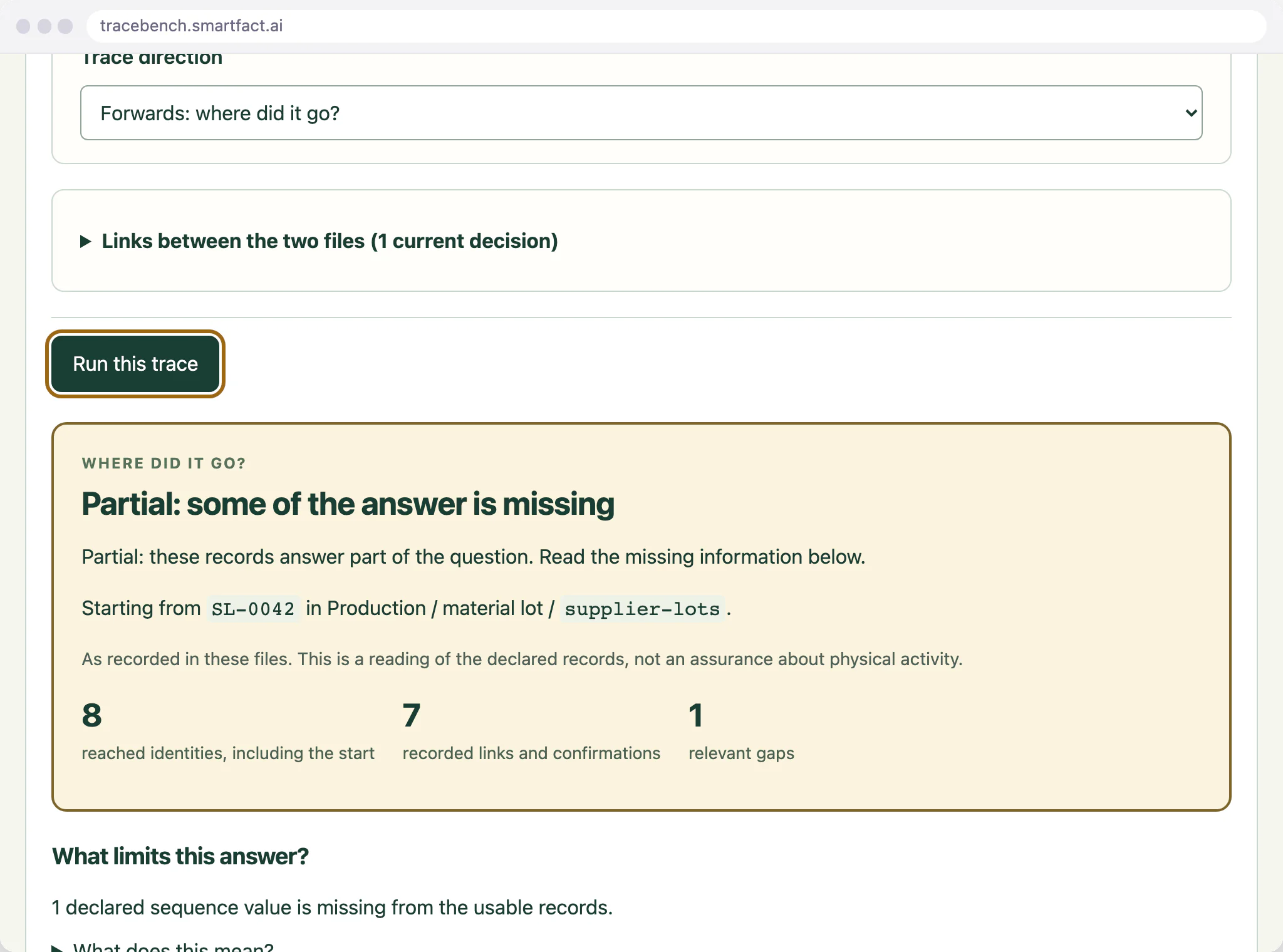
A supplier lot traced forwards, with the gap that keeps the answer Partial.
Backward: from a shipment to its supplier lots
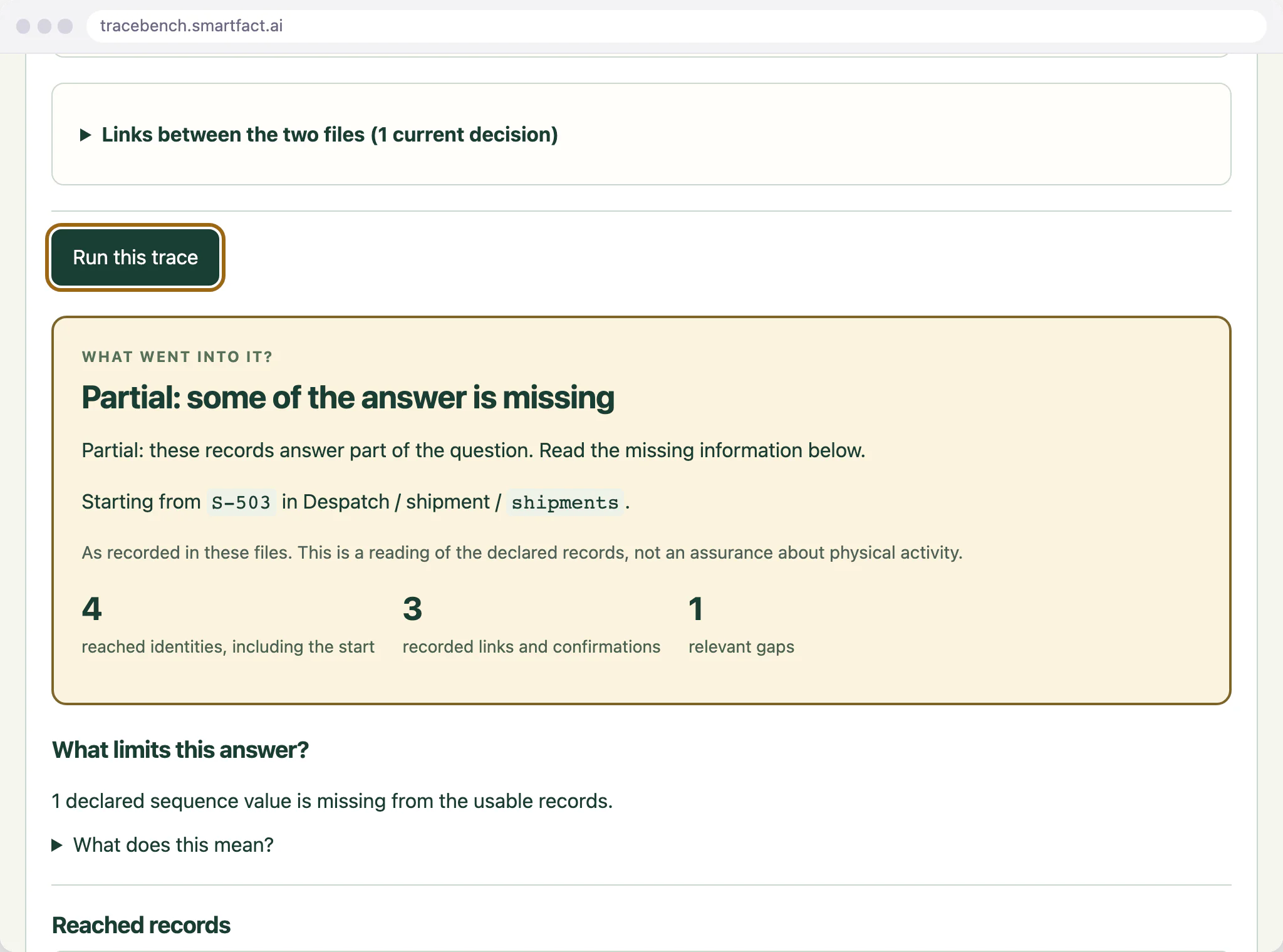
Backward traceability starts from what went out and works back to what came in. Scan or type the shipment number from your despatch records: a shipment is always traced backwards, through its recorded contents to the batches in it, then through the production records to the supplier lots that went into those batches. The trace crosses from despatch into production only where you have confirmed, under Links between the two files, that the batch codes in both refer to the same batches.
A shipment traced back to the batch and supplier lot behind it.
Forward: from a supplier lot to every shipment
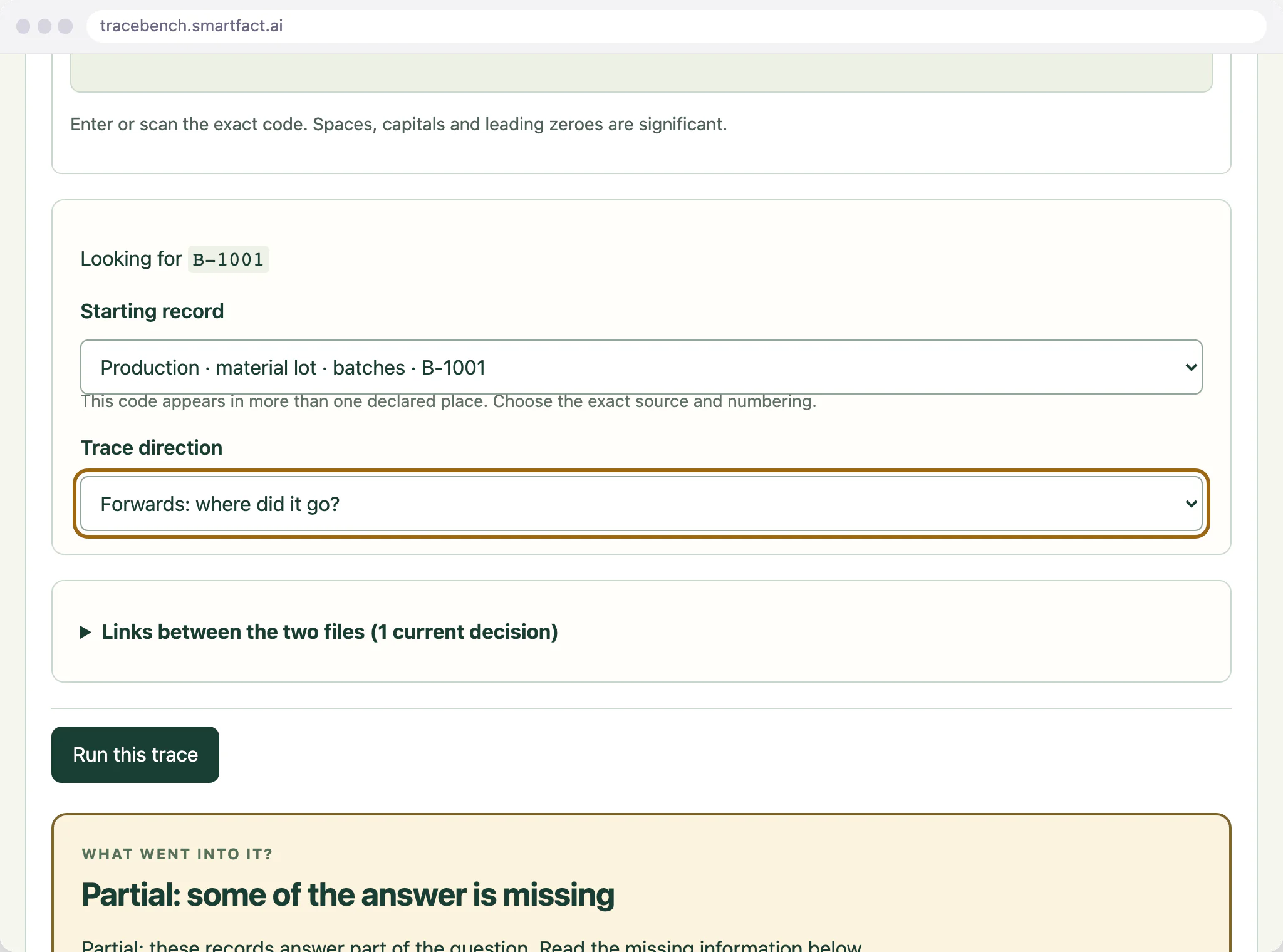
Forward traceability starts from what came in and follows it to everything made from it and every shipment that carried it. Enter the supplier lot, choose its exact starting record, then choose Forwards: where did it go? and run the trace. TraceBench follows each recorded production operation to its outputs, then each confirmed link into despatch and on to the shipments. Where several inputs share one operation, every input may relate to every output, and the link is labelled potential attribution.
The direction is chosen for one exact starting record.
The row behind each link
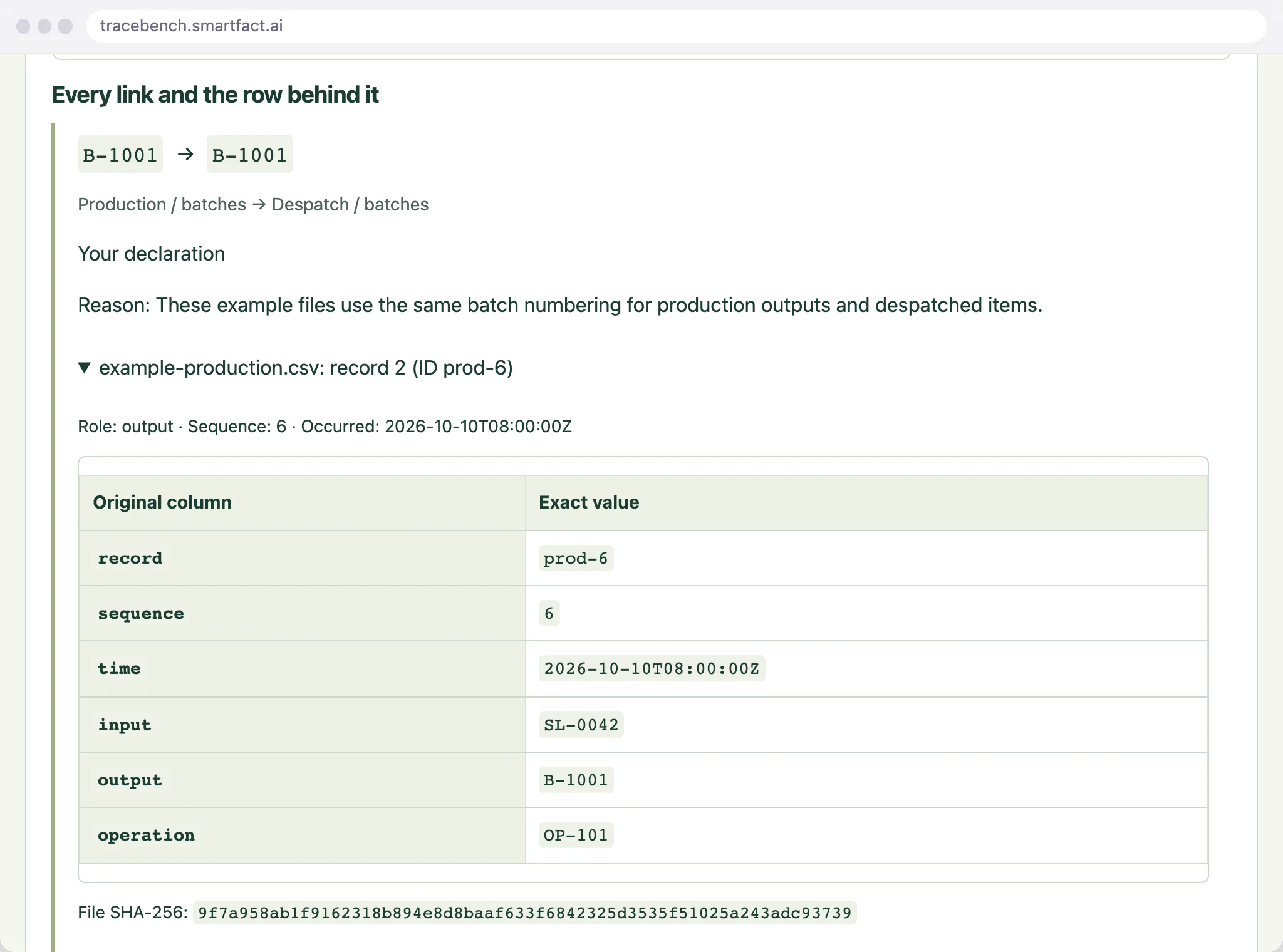
Open any link in the result to see the file it came from, its record number in the CSV, the stable record ID where you mapped one and every original cell exactly as written, with the file's SHA-256 fingerprint. A link between the two files is labelled Your confirmation or Your declaration, with the reason you gave, so anyone reading the result can see which links the records state and which you supplied.
Every link opens to the row it came from.
Where the records stop
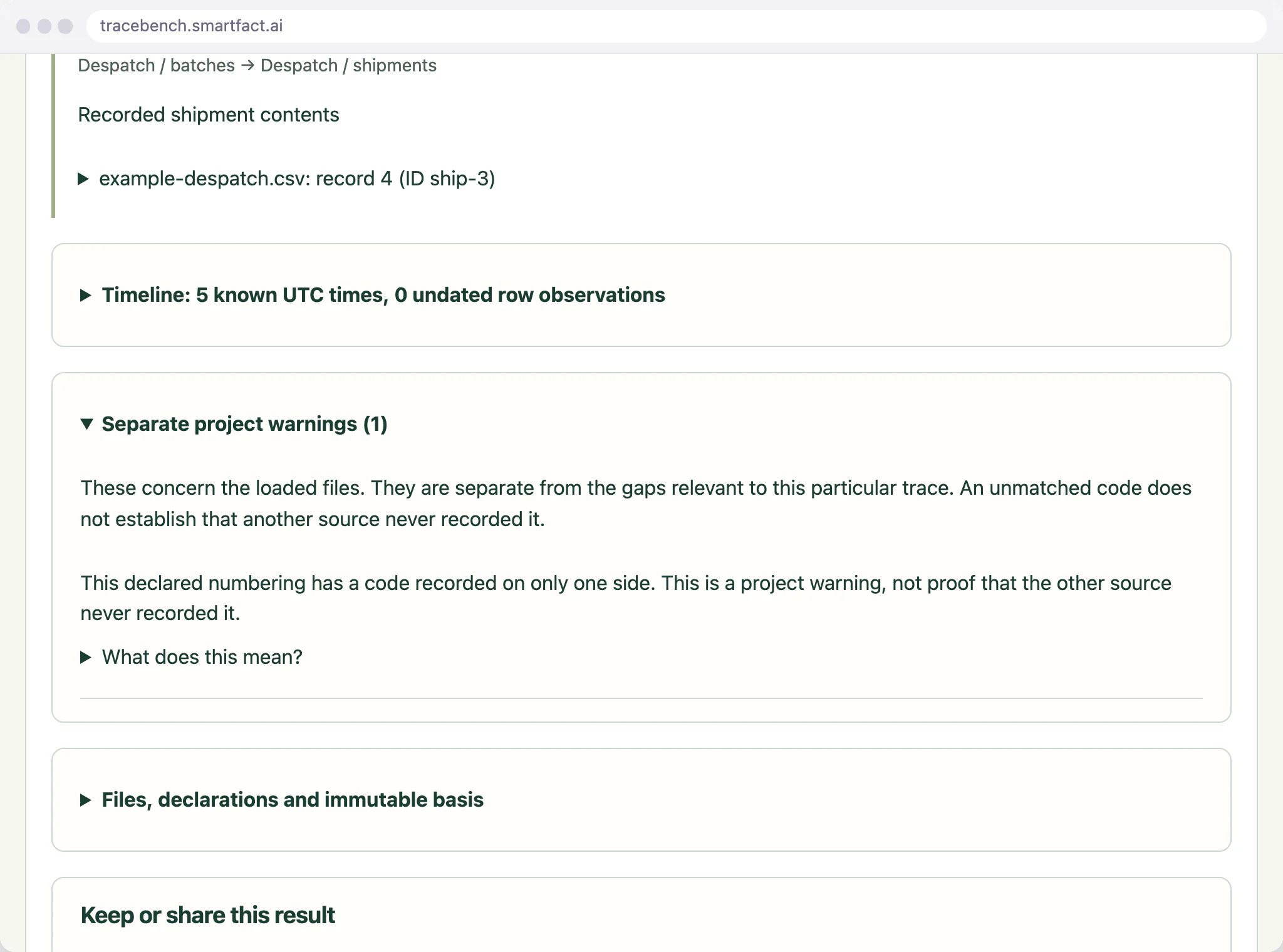
TraceBench says where the answer is incomplete. A missing sequence number in a range you declared, coverage you marked Not sure, or a batch code in the other file that nobody has confirmed leaves the result Partial or Unknown, with each reason named in the result. A code with no match is reported as No recorded match within what you loaded, never as proof that it was not made or shipped. Warnings about the files as a whole are kept apart, under Separate project warnings.
Warnings about the files, kept apart from the gaps in this trace.
Keep the result for the audit file
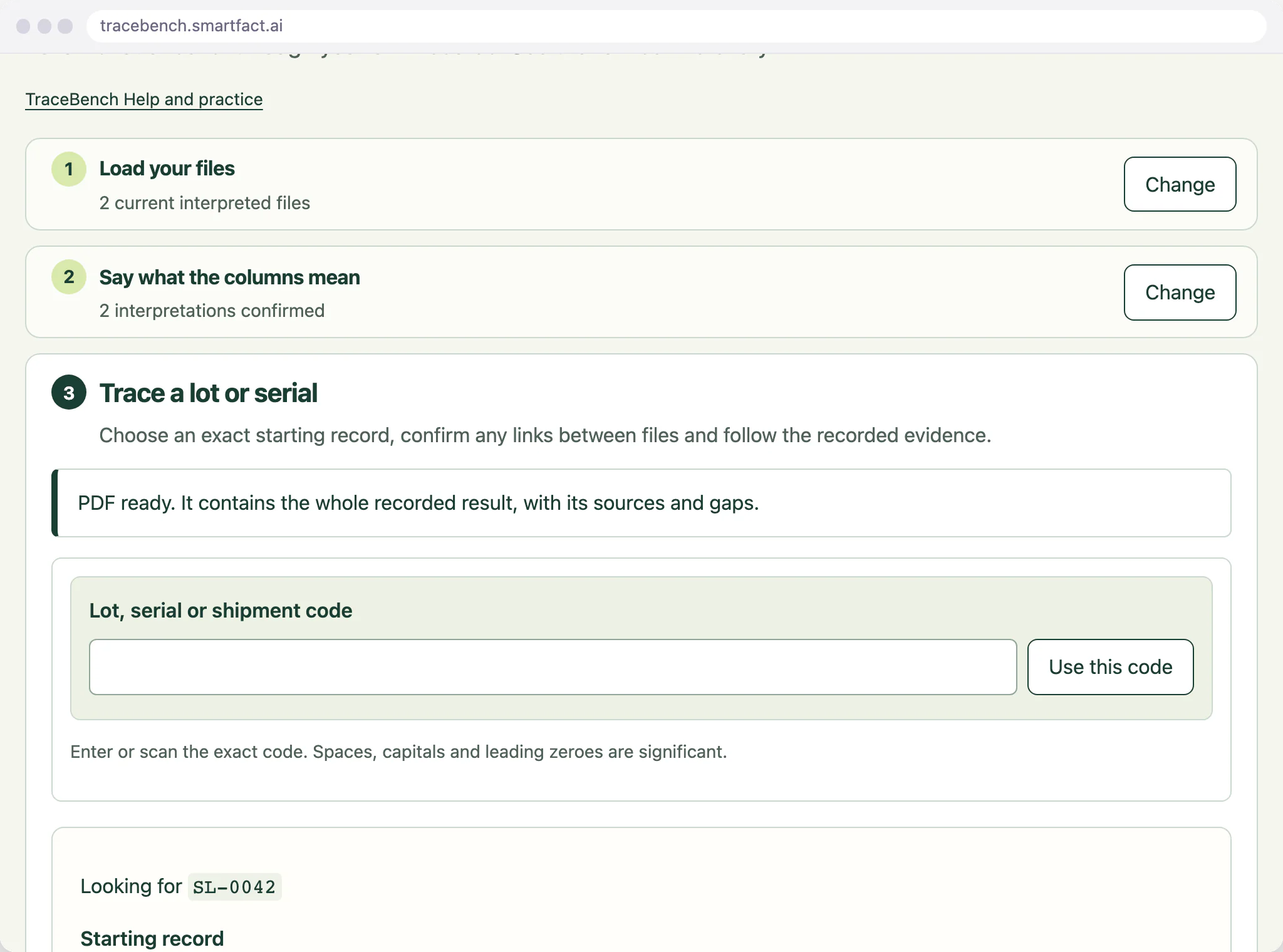
Download the trace as an A4 PDF, or as a CSV either escaped for spreadsheets or lossless. Both hold the exact question, every link with its rows, the gaps, the separate project warnings and each file's name and SHA-256 fingerprint, and nothing is cut short to fit. Keep the trace in the project history and download a backup, so the exercise can be reopened later with the same files and decisions.
The trace as a PDF, with its sources and gaps.
Mass balance and timing stay yours
An exercise usually also checks quantities, called a mass balance: whether the amount received matches the amount used, held and shipped. TraceBench shows quantities only as they are written in the original rows and never adds, allocates or reconciles them, so do the balance in your own system.
It does not time the exercise either. Note when you start and finish, and compare that with the target set by your customer, your certification scheme or your own procedure, which also decide how often to run one; at least once a year is common.
What TraceBench does not do
It does not decide whether to recall, hold stock or notify customers, and it never links records because their codes, dates, descriptions or row order look alike. It reads two current CSV files at a time, with no connection to your ERP, and follows up to 20 manufacturing steps, saying so when a trace stops at a limit. A result describes your records, not what physically happened.
MADE FOR THE FLOOR
For quality and technical managers at small food and engineering manufacturers preparing for a customer or certification audit, or testing their own traceability.
A USEFUL STARTING POINT
Test the records, not your memory of them
In an exercise it is easy to fill a gap from memory, or to join two spreadsheets on a code that only looks the same. TraceBench follows the links your files record and the ones you confirm, shows the row behind each and keeps every gap in the answer, so the exercise shows what your records can and cannot answer.
FROM QUESTION TO EVIDENCE
Three steps to a useful result.
01
Load the records
Export the production and despatch records for the period, load them as CSV files and say what each column means, including the numbering each code uses and what the file covers.
02
Trace both ways
Trace a supplier lot forwards to its shipments, then a shipment backwards to its supplier lots. Confirm a link between the two files only where you know the codes refer to the same batch.
03
Keep the evidence
Read the gaps, download the PDF or CSV for the audit file, keep both traces in the project history and download a backup.
A CONCRETE EXAMPLE
Both directions, one gap
In the built-in example, supplier lot SL-0042 traced forwards reaches batches B-1001 and B-1002 and shipments S-501, S-502 and S-503. Shipment S-503 traced backwards reaches batch B-1002 and supplier lot SL-0042, and not B-1001, because the despatch file records only B-1002 in that shipment. Both answers are Partial: the production file declares sequence numbers 6 to 8, but number 7 is missing, and TraceBench names it in each.
USED IN PRODUCTION
When tracing becomes quality work for a team.
TraceBench answers one question at a time, from files you load on one device. When traces become regular work for a quality team, LotTrail keeps the declared sources, reviewed identity links and evidence together. LotTrail is an invited trial, with scope agreed with you.
Invited trial
LotTrail
LotTrail follows a lot or serial number through the records your factory already keeps, with the source of each link and the gaps shown. Sources are declared, mappings are reviewed, identity links are approved by a supervisor and the evidence is retained for quality work. The invited trial covers two declared sources at one site.
What is the difference between a traceability exercise and a mock recall?
A traceability exercise tests the records: can they follow a product back to its raw materials and forward to its customers? A mock recall rehearses the whole response to a recall, adding the team, the timing, the quantities and the customer communications. The tracing is the same in both, and it is the part TraceBench does; see /mock-recall-exercise/ for the rest of a mock recall.
What are the two main types of traceability?
Forward traceability, which follows a lot to everything it went into and everywhere it was sent, and backward traceability, which follows a product back to the materials and lots that went into it. A traceability exercise tests both. LotTrail explains each in more depth: forward traceability at https://lottrail.smartfact.ai/supplier-lot-defect-investigation and backward traceability at https://lottrail.smartfact.ai/customer-and-warranty-traceability-questions.
Can I trace serial numbers?
Yes. Each code column is declared as a material lot or batch, or as a serial unit, with its own numbering name. A serial number and a lot number are never joined to each other.
Do I need both files?
No. A production file alone shows what went into each batch and where each lot was used in production. Add the despatch file when the exercise needs to reach shipments.
What are the current limits?
TraceBench is a reading of the records you load, not a recall decision or proof of what physically happened. It has no recall, hold, stock or customer-notification actions, does not allocate or reconcile quantities, and never links records because their codes, times, descriptions or row order look alike. Two current files at a time, each UTF-8 CSV with column names in the first row, up to 5 MiB, 5,000 data records and 40 columns, and 10,000 recorded facts across both. A trace follows up to 20 manufacturing steps and stops at its limits with a stated reason. XLSX files are not read, and there is no connection to your ERP or any other system.
What happens to my data?
Your files stay in this browser. Work is held in memory until you choose Save on this device, which keeps the whole project, original files included, in this browser. Files are read and fingerprinted on your device and never uploaded, and there is no account or email step. Reports and backups contain your records and file names, so check them before sharing. Google Analytics is optional and loads only after you accept; it never receives codes, rows, file names or results. Use Analytics settings to change your choice; see /privacy/.
ONE SMALL JOB, DONE WELL
Put TraceBench to work.
Open the free tool and start with one known example.
Practical tools. Useful on their own. Better around the same floor.
Automate factory decisions with rules you describe in plain English. Explore focused SmartFACT services, plus free tools for everyday checks.
Invited trialSuggested next step
LotTrail
Follow a lot or serial number through the records your factory already keeps, with the source of each link and the gaps shown. Explore an invited trial with two declared sources.
Bring data in from uploaded sheets or the Shopify, WooCommerce and PrestaShop connectors, check each change and deliver it to the products that use it.
Scan an empty container to send the right refill request to stores. Approved plain English rules set the stores queue, priority, ticket printer and escalation.
Label each offcut, find a suitable length before cutting new stock and record what you used. Approved plain English rules decide what to keep and where it goes.
Check a shared tool before handover, record who has it and keep damaged or overdue tools out of the next issue. Explore an invited trial for one factory crib.
Receive, put away, reserve and issue stores material with barcode checks, keeping held, reserved and available stock apart. Explore an invited trial for one stockroom.
Load one or two CSV exports and follow a lot or serial forwards or backwards, with the row behind every link. No account needed.
You are here
Help
SmartFACT Help
Step-by-step guides and interactive demonstrations for the SmartFACT suite. Read the instructions, watch a task or practise with real product screens and sample data.

 Invited trial


